Ammon News - ChatGPT has become a go-to tool for everything from answering everyday questions to explaining unfamiliar topics and helping with quick writing tasks. Yet not everyone wants to create an account just to try an AI chatbot, especially when they only need an answer to a one-off question. The good news is that OpenAI lets people use ChatGPT without logging in in supported regions, although the experience comes with a few limitations.
Visit ChatGPT.com and enter a prompt to see whether the logged-out experience is available to you. You can ask questions and receive responses without going through the usual sign-up process, but you won’t have all the same options as someone using an account. Here’s how to use ChatGPT for free without logging in, what you can do as a guest, and when creating an account may be worth it. If you’re new to the chatbot, our guide to using ChatGPT covers the basics.
How to use ChatGPT without logging in
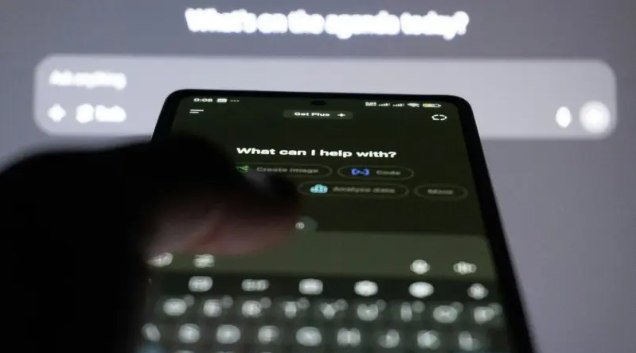
You can try ChatGPT without creating an account by visiting ChatGPT.com in your browser. If logged-out access is available in your region, you’ll see a prompt box where you can type a question or request and submit it to start a conversation.
Open ChatGPT: Go to ChatGPT.com.
Enter a prompt: Type a question, ask for an explanation, or describe a task in the message box.
Submit your request: ChatGPT will generate a response, and you can ask follow-up questions within the same conversation.
Continue or start over: You can keep using the current conversation, but starting a new one will make the previous logged-out conversation inaccessible.
You don’t need to provide an email address or create a password to get started. However, logged-out access is not available in every region, and the experience may differ from using ChatGPT with an account. If the site asks you to sign in before sending a message, check whether guest access is supported where you live.
What can you do with ChatGPT without an account?
Using ChatGPT without an account is useful when you need a quick answer or a little help with an everyday task. You can ask it to explain an unfamiliar term, summarize text you’ve pasted into the conversation, suggest ideas for a project, or help draft a message. It also supports follow-up questions, so you can refine an answer or ask for more detail without starting over. If you’re looking for ways to get more useful responses, try these ChatGPT prompts.
ChatGPT Search is also available to people who aren’t signed in, allowing them to ask questions about current events, products, or other topics that benefit from up-to-date information. The chatbot can search the web and provide links to relevant sources, making it useful for questions that go beyond its general knowledge. Access to other tools and capabilities may differ from what registered users receive, so the logged-out experience shouldn’t be treated as identical to the full free account.
What are the limitations of using ChatGPT without logging in?
Using ChatGPT without an account is convenient for quick questions, but there are a few trade-offs to keep in mind. The most obvious is that your conversations aren’t saved to your chat history. You can continue using the current conversation in the same browser session, but starting a new chat makes the previous logged-out conversation inaccessible. You can also have only one conversation at a time while signed out. If you want to revisit previous answers or keep track of an ongoing project, creating an account is the more practical option.
Logged-out access also isn’t available everywhere. OpenAI is rolling out the feature across supported countries, so you may be asked to sign in or create an account before you can send a message. The tools and features available without an account may also differ from those offered to signed-in users, and usage restrictions can apply.
Privacy is another consideration. Using ChatGPT without logging in doesn’t automatically mean your conversations are excluded from model improvement. OpenAI provides a setting called Improve the model for everyone that logged-out users can turn off in the service’s settings, with the choice saved in that browser. As with any online AI service, it’s best to avoid entering passwords, financial details or other sensitive personal information into a conversation.
Is it better to use ChatGPT with a free account?
ChatGPT’s free account is worth considering if you expect to use the chatbot regularly rather than just ask the occasional question. Creating an account lets you save conversations, return to previous chats, share them, export your data and personalize the experience with custom instructions. These options can be particularly useful if you use ChatGPT for writing, research, learning or tasks that take several exchanges to complete.
You can continue using ChatGPT for free after signing up, although the free plan has usage limits and some features may have restricted availability. If you only need a quick answer, logged-out access may be enough. For regular use, an account makes it easier to manage conversations and get more out of the service without requiring a paid subscription. For the latest details on logged-out access and its limitations, consult OpenAI’s official guidance.
Digital trends



 comment replay












 الرجاء الانتظار ...