Ammon News - Customizing the look of iOS is a good way to make your iPhone more fun and unique. You could already do this by changing your wallpaper, icon style and, as of iOS 26, even the intensity and translucency of the (somewhat unpopular) Liquid Glass effect. But there was one set of customization options where Apple was falling behind competitor apps, and that was Messages.
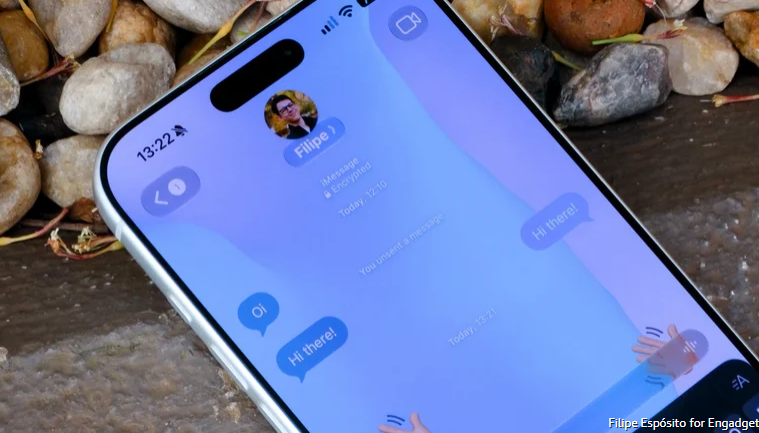
While most messaging apps like Telegram and WhatsApp — and even chat functions within apps like Instagram — already offered different themes to choose from, Apple's Messages app always had a boring white background (or black if you're in Dark Mode). That changed with iOS 26 last year, so you can now zhuzh up the background of conversations in the Messages app to add a little more of your personality to your chats.
Setting a custom background in Apple's Messages app
Adding a background to your conversations in the Messages app only takes a few taps. On your iPhone, open the Messages app and tap any conversation where you want to change the background. Tap the contact or group icon, which you can see at the top of the conversation. Then, go to the Backgrounds tab.
Here you'll find a selection of wallpapers from Apple. There are Color, Sky, Water and Aurora to choose from. But the best part is that these wallpapers are all animated and customizable.
Prefer to use an image you shot yourself or found on the web? Just tap the Photo option among the available backgrounds and choose the photo you want. You'll also see a list of suggested backgrounds featuring photos from your library that the system thinks you might like. Just keep in mind that everyone in the conversation will see that same background, not just you.
The Playground feature can also generate backgrounds using Apple Intelligence. This requires an iPhone 15 Pro or later, though.
When custom backgrounds are not available
Maybe you've tried these steps and still couldn't set a custom background for your conversation in the Messages app on your iPhone. If that's the case, there are a few things you need to check, such as whether the contact in that conversation uses iMessage. Unfortunately, custom backgrounds aren't available for SMS or RCS, so your chats with friends on Android will still have that boring solid-color background.
It's also worth checking to see if your iPhone is running the latest software. In the Settings app on your iPhone, go to General and then Software Update to see if you have iOS 26 or later installed.
Custom backgrounds in the Messages app can be turned off completely if you find them distracting. In your iPhone's Settings, look for Messages in the Apps menu and check the Conversation Background toggle. If it's turned off, you won't see chat backgrounds, even if one of your contacts sets a custom background for their conversation with you.
engadget



 comment replay











 الرجاء الانتظار ...